
 Written by
 The website’s search function can be accessed by clicking the small arrow to the right of the “Log in” tab and selecting “Sibling match” from the drop-down menu. This will take you to the page displaying all members. You can use the simple search by typing the name of the sperm bank, donor number, or alias you’re looking for in the box with the magnifying glass. Alternatively, you can use the advanced search by clicking the “+” icon on the top bar, where you can search by multiple criteria simultaneously. Please note that in the advanced search, all members will appear if no results match the criteria you’ve selected.
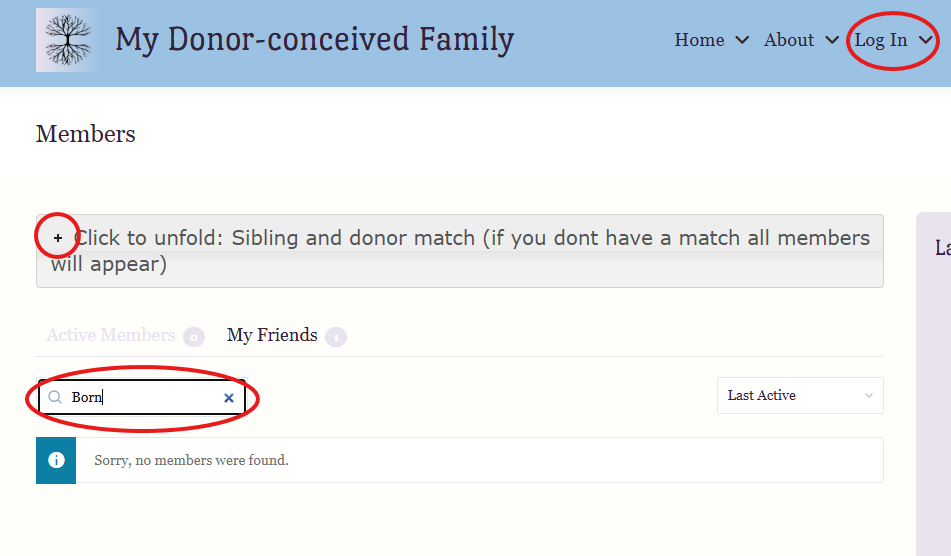
Only registered members can use the search function, so create a profile today and start looking for a match.